PR 292: Complex operations planning, review round 1
rancher/rancher-ai-ui, by torchiaf, issue 293. Reviewed on 2026-10-29.
Preview: rancheraipr292planr.mf-created-dashboard.ui.rancher.space. Built from 52a3762, backend mf-rancher-16 (Rancher v2.16.0-head, agent v1.2.0-alpha.5 driven by llm-mock, the same agent image CI uses).
Verdict: request changes
The plan card works: rows per subtask, agent tags, the progress bar, collapse, the approval flow, Cancel Execution, the failed state with Retry options, and the new Chat settings. But:
- BLOCKERWhile a plan is pending or running, nothing typed in the console is sent. Plan feedback is lost, and when a subtask asks a question the chat gets stuck.
- BUGStop / Cancel Execution shows "You stopped the previous response." instead of the plan-stop notice. This is the only failing e2e in CI (Planning with approval > Execution stopped, 3 of 3 attempts).
- BUGThe collapsed header shows
'for quotes in the task name. - MINORFive small items, listed at the end.
1. The feature2. Bugs3. Minor4. What was checked5. Try it yourself
1. The feature
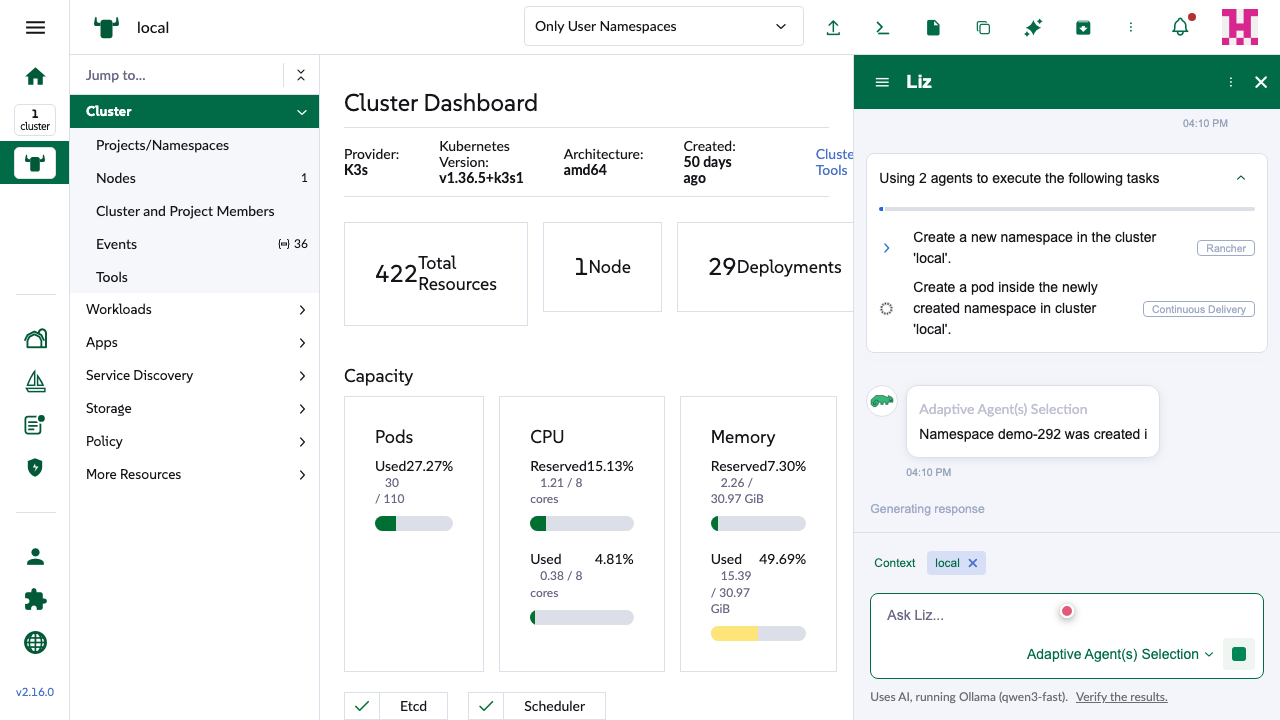
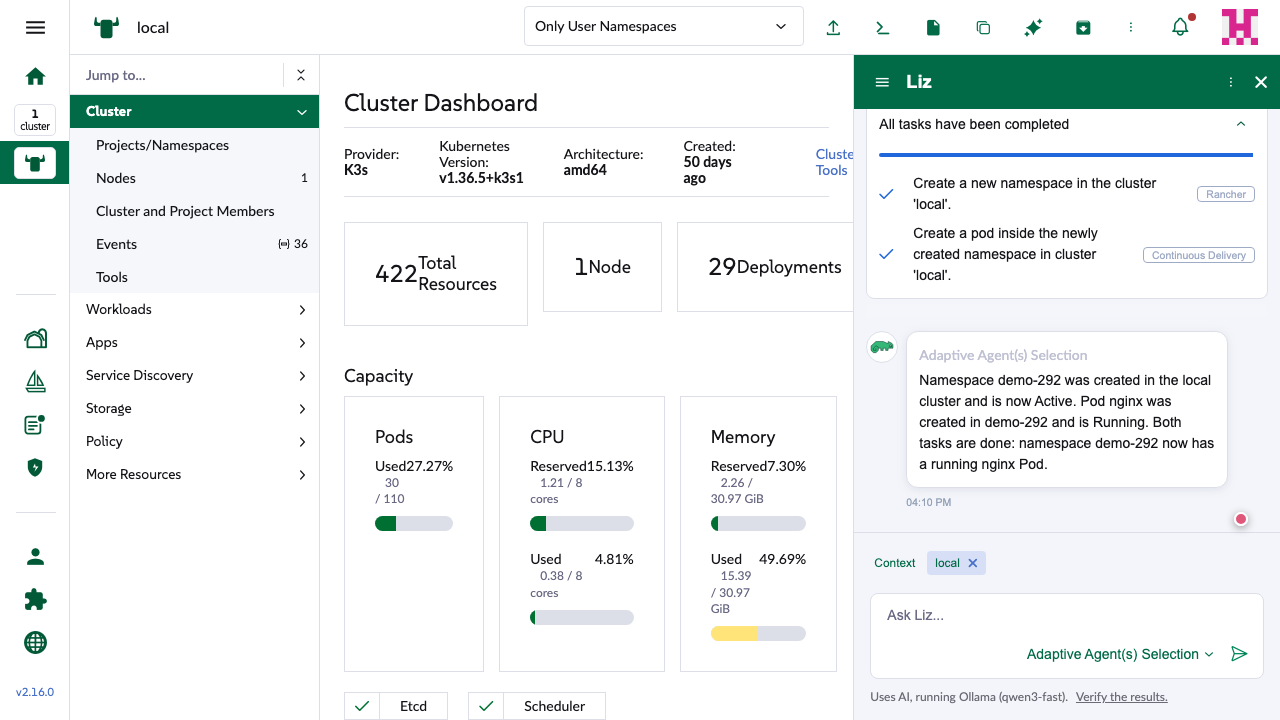
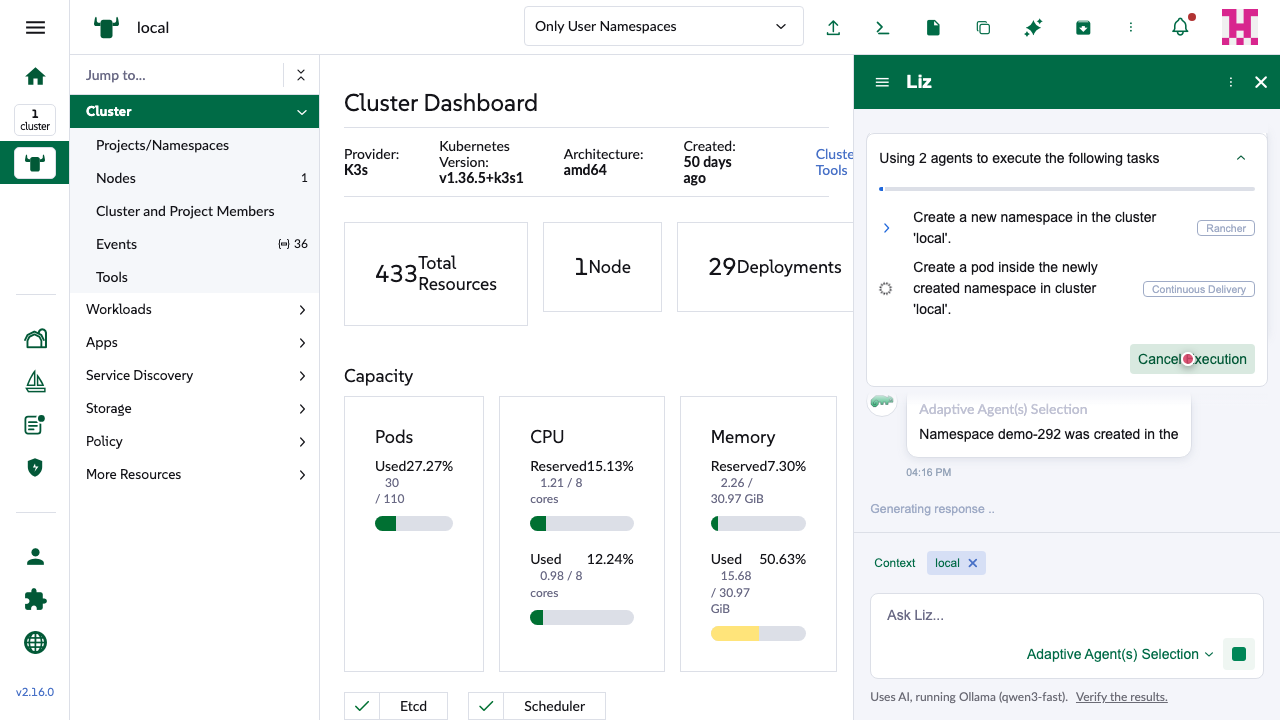
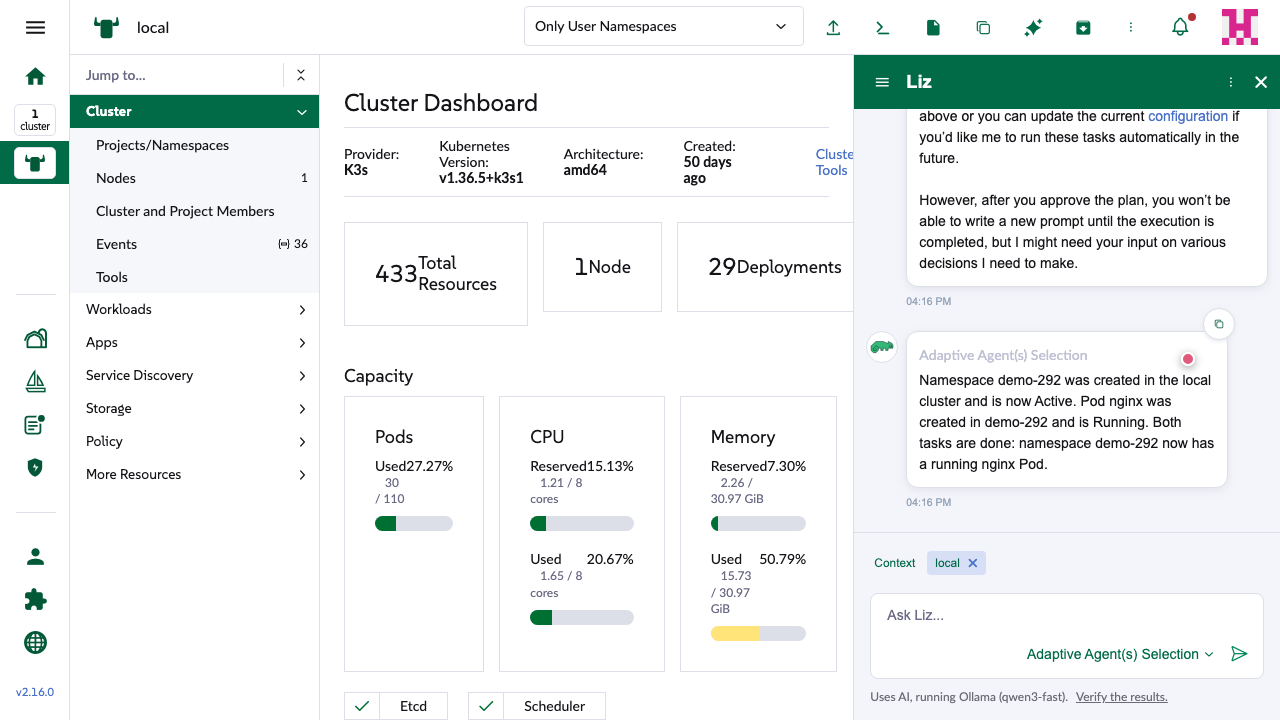
When the agent runs with PLAN_ENABLED=true (adaptive mode, two or more agents), it splits a request into subtasks, gives each one to an agent and streams <plan> events. The PR draws those events as a plan card above the answer:
- Plan card (
StatusInfo.vue): one row per subtask with its agent tag, a status icon and a progress bar. It can be collapsed, and the collapsed header shows the running task. - Approval (
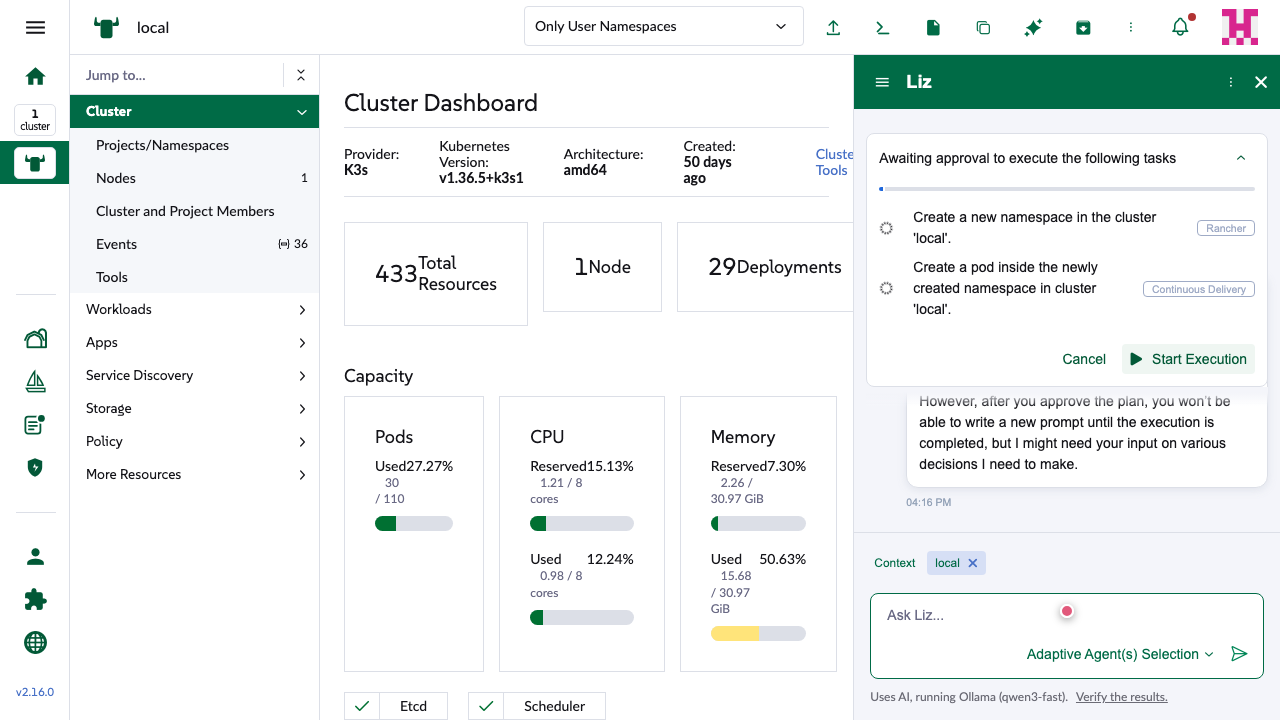
PLAN_APPROVAL_ENABLED=true): the plan waits with Cancel / Start Execution, plus a note (ApprovalInfo.vue) that you can ask for changes first. While it runs, a Cancel Execution button is shown. - Failure: the failed row turns red and the agent's Retry / Restart / Request details options appear under the answer.
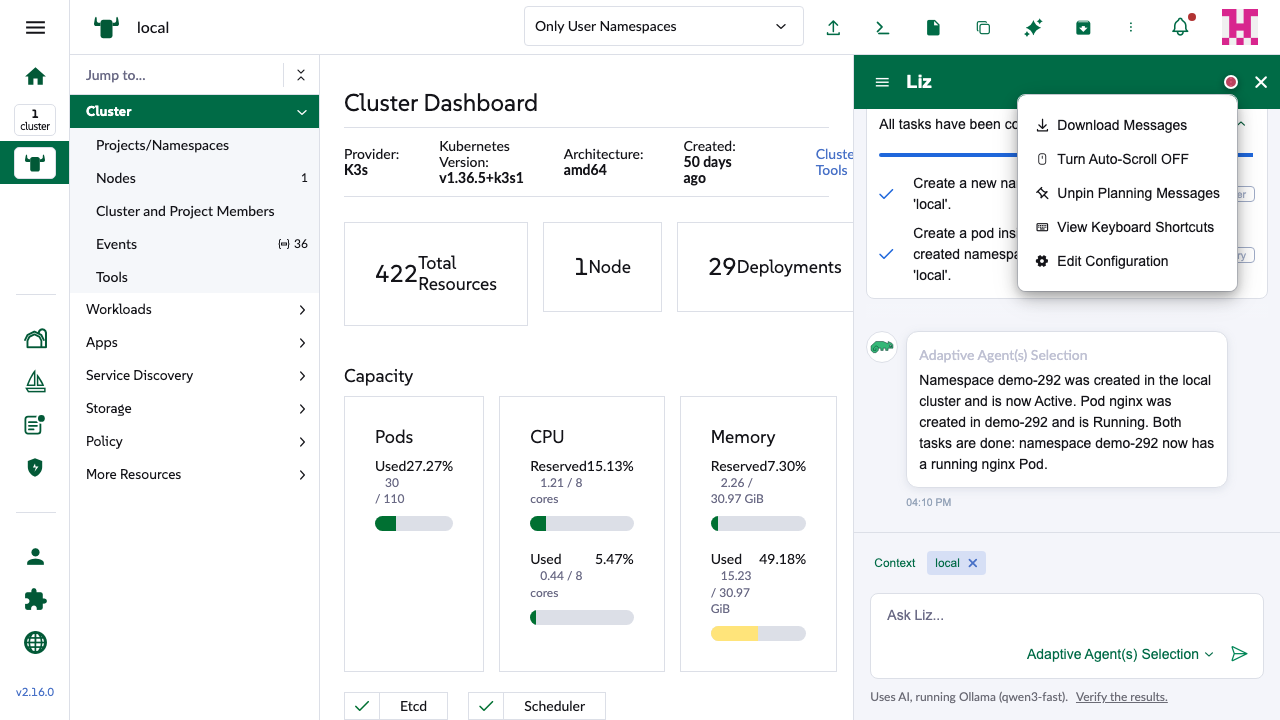
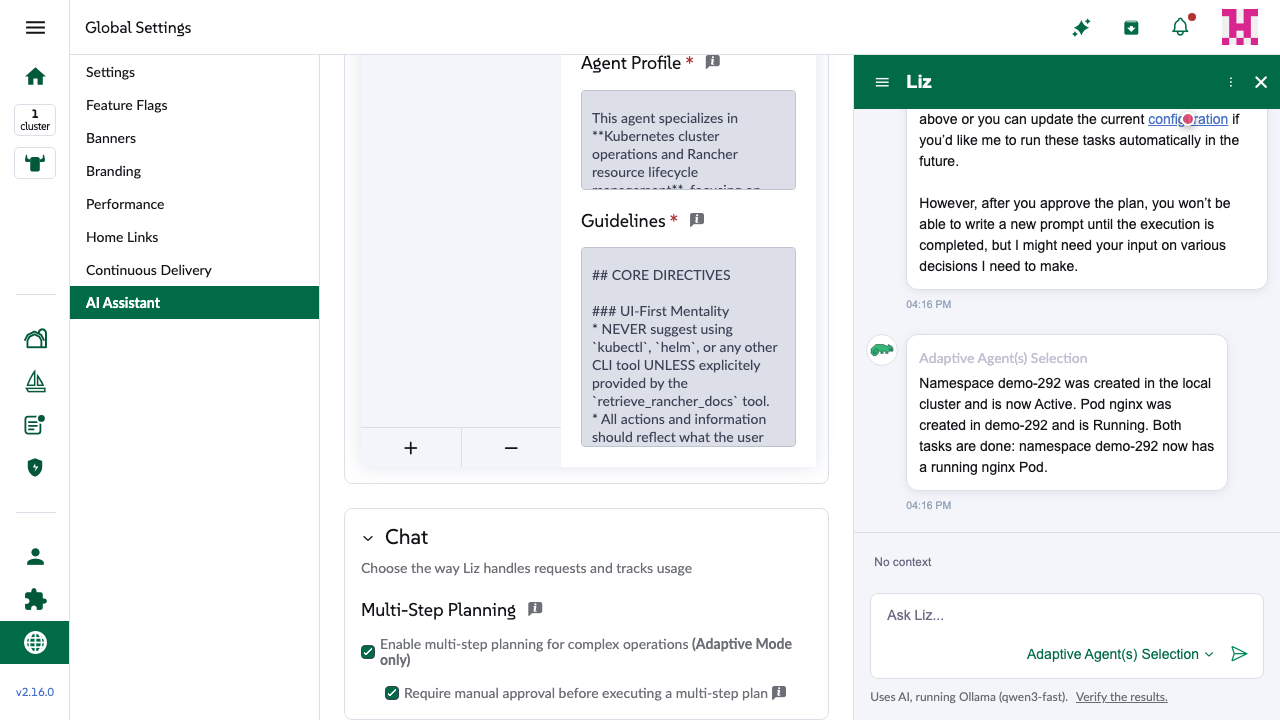
- Settings: a new Chat section in AI Assistant settings with the two flags. A new chat-menu option pins the plan to the top while it runs.
Without approval
With approval
What the UI receives (live websocket frames)
Planning without approval
     0 ms  →  {"prompt":"Create a namespace and a Pod in it", ...}
   201 ms  ←  <plan> status=in_progress  tasks=[in_progress, pending]
  3834 ms  ←  <plan> status=in_progress  tasks=[completed, pending]     ← no running task for 4 ms
  3838 ms  ←  <plan> status=in_progress  tasks=[completed, in_progress]
  6477 ms  ←  <plan> status=completed    tasks=[completed, completed]
  6480 ms  ←  Both tasks are done: ...
  6586 ms  ←  </message>
2. Bugs
BLOCKERConsole input is staged, not sent, while a plan is pending or running
The last commit (52a3762, "Stage sliding badge messages on pending plannings") makes ensureConnectionAndSendMessage stage the text back into the box whenever the plan is pending or in_progress. That function is also what the console's own Enter and Send call (@input:content), so everything typed during a plan stays in the box. Two flows break:
1a. Feedback on a plan awaiting approval. The note says "You can request changes before executing the plan above", and the agent treats any answer other than yes/no as feedback that regenerates the plan. The feedback never reaches the agent: no frame goes out, and the plan is never regenerated.
1b. A subtask asks a question. When a child agent needs more information, the agent pauses the plan with that subtask still in_progress, and the user's next message is forwarded as the answer. The answer can't be sent. There is no Stop button (no response is pending) and no Cancel (approval is off), so the only way out is a new chat. The approval note even promises this case: "I might need your input on various decisions".
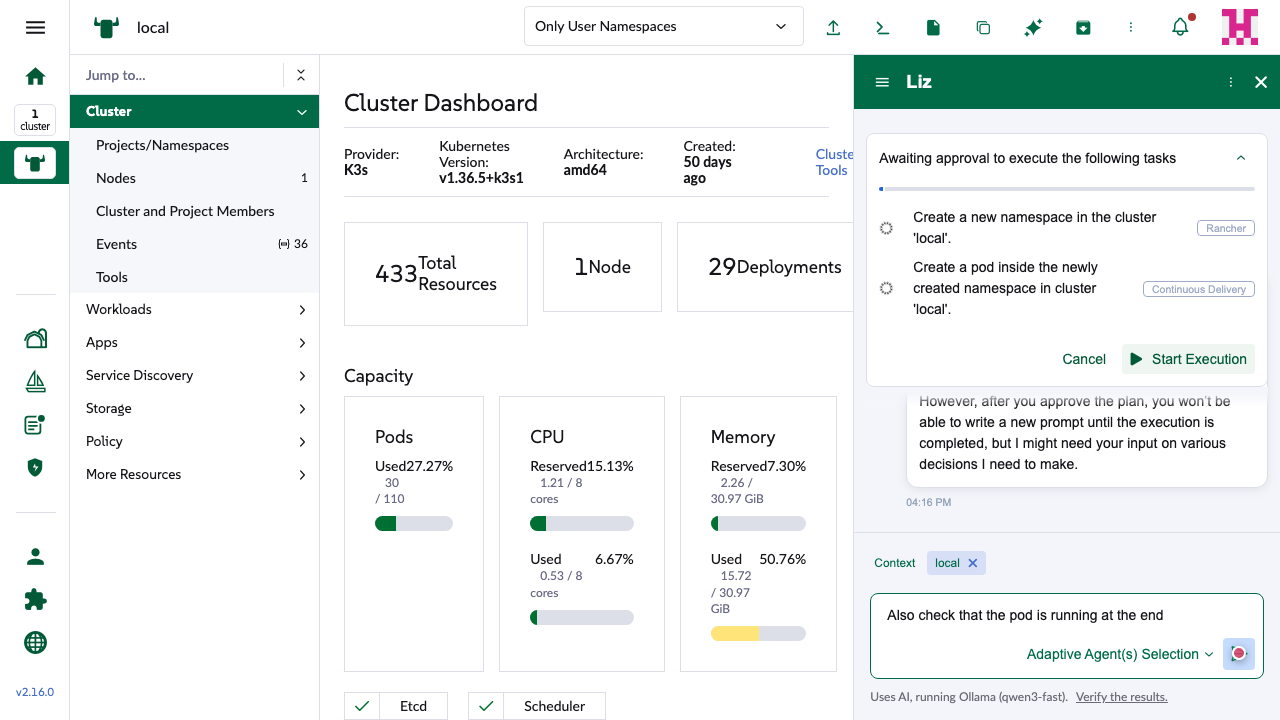
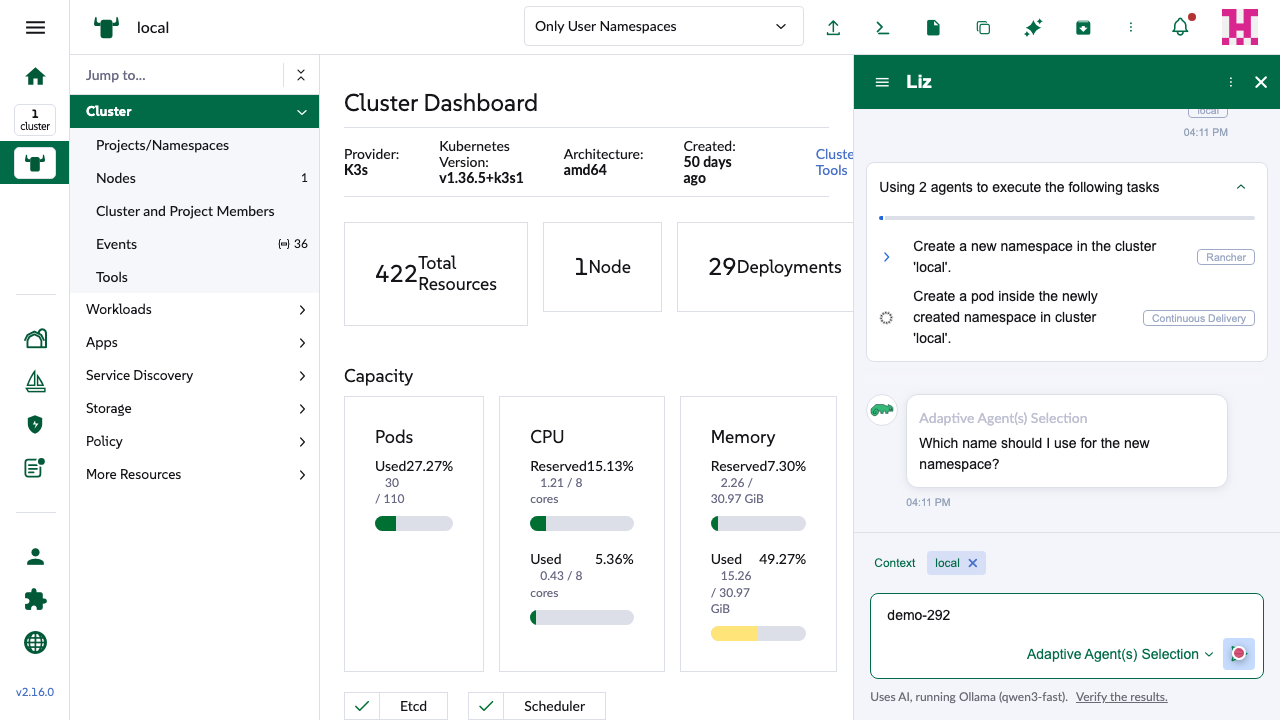
- Chat.vue:336: the planning-status gate.
- Chat.vue:513: the console's
@input:contentgoes through the same function.
Suggested fix: apply the planning gate only to the sliding badge / banner messageBox path, which is what the commit was for. Let the console send as before (it already blocks Enter while a response streams).
BUGStop / Cancel Execution shows the generic stop notice. This is the failing e2e.
After Cancel Execution (or the console's Stop) during a plan, the notice is "You stopped the previous response.". The agent sent planning-manual-stop, so it should be "The execution of the previous plan has been stopped."
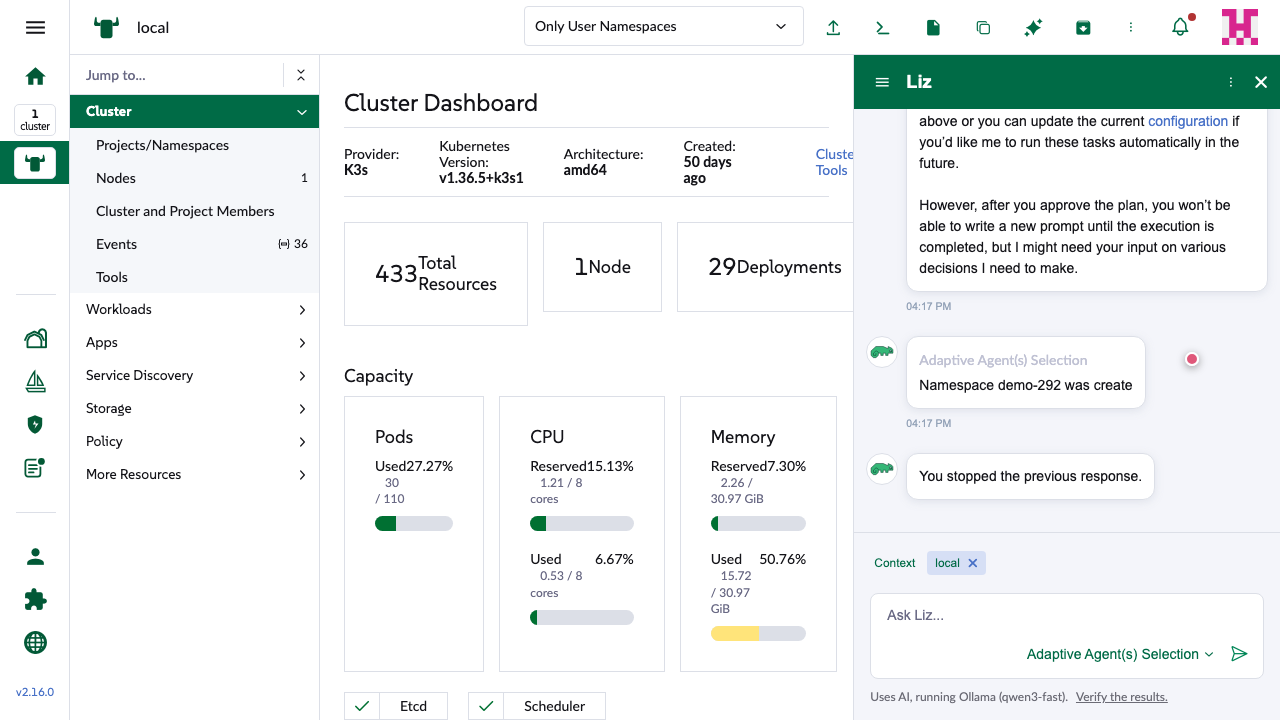
Why: notifyStopMessage only uses the plan text when the stored plan is still pending or in progress at </message>. But the agent always sends the cancelled <plan> first, so by then the status is already cancelled and the check falls back to message-manual-stop:
  5291 ms  →  {"prompt":"","tags":["stop"]}
  5344 ms  ←  <plan> status=cancelled  tasks=[pending, pending]           ← plan state becomes cancelled here
  5348 ms  ←  <stop-message>{"reason": "planning-manual-stop"}</stop-message>
  5350 ms  ←  </message>                                                ← isPlanningActive is already false
CI shows the same thing. Run 40885134621 at 52a3762 fails only Message Planning > Planning with approval > Execution stopped, at spec line 352: "Expected not to find content: 'You stopped the previous response' but continuously found it". The unit test "Should parse planning stop message with planning-manual-stop reason" never checks the notice text and never sends the cancelled frame, so it misses this.
- useChatMessageComposable.ts:430-433:
notifyStopMessage. - useChatMessageComposable.test.ts:1935: the unit test.
- message-planning.spec.ts:352: the failing assertion.
Suggested fix: decide from the stop reason and whether this message got a cancelled plan, not from the plan status at </message>. Then make the unit test send the real frame order and assert the text.
BUGCollapsed header shows '
When the card is collapsed while a task runs, the header is t('ai.planning.header.executing', { task }). t() HTML-escapes the arguments and the template prints the result as text, so a quote in the task name shows as '. The expanded rows print the task directly and look fine. The planner often quotes names, e.g. cluster 'local'.

Suggested fix: call t() raw there (it is rendered as text, so that is safe), or build the label without passing the task through t().
3. Minor
- I18NThe
collapsedheader keys have noin_progressorcancelingentry. The agent sendsin_progresswith no running task for a few ms between subtasks (see the frames above), so a collapsed card would briefly show the raw key. - DEAD CODE
CancelingandNotApplicableare never sent by the agent (its statuses are pending, in_progress, completed, cancelled, failed) and never set by the UI. - UXA cancelled plan shows static spinner icons on every row, because the agent resets the subtasks to pending on stop. The e2e asserts this ("Items frozen state indicated by spinner icon"). It still reads as "loading". A neutral icon for pending rows of a finished plan would be clearer.
- TEST
planning.po.tsapprovalInfo()looks forrancher-ai-ui-chat-message-approval-info, but the component's test id israncher-ai-ui-chat-planning-approval-info-content. It is unused today. - FYI
ApprovalInfo.vueshows the settings link only whenloginName === 'admin', so an admin who logs in with GitHub never sees it. This copies the existing Welcome / NoPermissions pattern, so it's a follow-up, not something this PR broke.
4. What was checked
| Case | Setup | Result |
|---|---|---|
| Plan runs to completion | approval off / on | OKRows, agent names (rancher → Rancher, fleet → Continuous Delivery), progress bar, final state |
| Collapse / expand while running | approval off | OKHeader shows the running task BUG 3 |
| Start Execution / Cancel | approval on | OK"yes" / "no" sent with the confirmation tag |
| Cancel Execution | approval on | OKPlan cancelled BUG 2 wrong notice |
| Console Stop during a plan | approval off | OKPlan cancelled BUG 2 wrong notice |
| Subtask fails | approval off | OKRed row, "Plan execution has been stopped", Retry / Restart / Request details options |
| Feedback while awaiting approval | approval on | BLOCKERNot sent |
| Answer to a subtask's question | approval off | BLOCKERNot sent, chat stuck |
| Chat settings section | Settings → AI Assistant | OKReflects PLAN_ENABLED / PLAN_APPROVAL_ENABLED from llm-config |
| Host compatibility (2.13+) | @rancher/shell 3.0.8 to 3.0.14 | OK--rc-disabled-background, icon-pin / icon-pin-outlined and StatusBar exist in all of them |
| Unit tests | jest at 52a3762 | OK794 passed, 2 skipped |
| CI | run 40885134621 | lint, i18n and unit green. e2e: 1 failing (Execution stopped = BUG 2). The hooks failures from b0a8564 are fixed. |
5. Try it yourself
The preview talks to mf-rancher-16, whose agent is in llm-mock mode, so every LLM answer has to be queued first. The agent currently runs with planning ON and approval ON; the flags are in Settings → Chat. Log in to the preview, open Liz, start a new chat, then paste this in DevTools before sending "Create a namespace and a Pod in it":
const push = (t, stream = true) => fetch('/api/v1/namespaces/cattle-ai-agent-system/services/http:llm-mock:80/proxy/v1/control/push', {
  method: 'POST',
  headers: { 'Content-Type': 'application/json', 'X-Api-Csrf': (document.cookie.match(/CSRF=([^;]+)/) || [])[1] },
  body: JSON.stringify({ text: { chunks: stream ? t.match(/[\s\S]{1,2}/g) : [t] } }),
});
// 1) planner  2) child answer + evaluator, per task  3) final answer
await push(JSON.stringify({ subtasks: [
  { task: "Create a new namespace in the cluster 'local'.", agent: 'rancher', status: 'pending' },
  { task: "Create a pod inside the newly created namespace in cluster 'local'.", agent: 'fleet', status: 'pending' },
] }), false);
await push('Namespace demo-292 created. '); await push('yes');   // use 'input' instead of 'yes' to reproduce bug 1b
await push('Pod nginx is Running. ');      await push('yes');   // use 'no' to see the failed state
await push('Both tasks are done.');
Clear the queue with the same URL ending in /control/clear.